
Most ecommerce advertisers right now are relying heavily on Performance Max. And if you're a beginner or you don't have a lot of time, that's totally fine. PMax is a solid starting point.

But if you're an advanced advertiser who wants to scale beyond what PMax can deliver, keep reading. Because PMax is a jack of all trades. It does everything OK, but nothing exceptionally well.
The strategy my team and I have developed over the years can outperform PMax by a significant degree when you run it right. It involves building three dedicated campaign types yourself, each one optimised to beat what PMax does automatically, plus a hack that keeps PMax in your account as a safety net without it cannibalising your best traffic.
What PMax Is Actually Doing With Your Money
Here's the typical spend distribution I see in most ecommerce PMax campaigns:
60-70% goes to Standard Shopping ads
20-30% goes to classic Google Search text ads
5-10% goes to images and videos (almost entirely retargeting, not cold traffic)
PMax is very good at retargeting people who've already visited your site, but it's not very good at using creative placements to find new customers. And it can over-rely on retargeting and brand traffic, making your ROAS look fantastic on paper while hiding the fact that these traffic sources are less incremental than acquiring brand new customers. The ROAS looks great, but your actual business growth is limited.
Once you understand this, you realise you can build each component yourself with better structure and better optimisation.
The Core Strategy: Three Dedicated Campaign Types
Instead of relying on PMax's average attempt at everything, you build three dedicated campaign types:
Standard Shopping campaigns
Search text ads campaigns
Demand Gen campaigns for your images and videos
Each one optimised to outperform what PMax does automatically. Plus, you keep PMax in your account as a deprioritised catch-all. We're not eliminating it entirely, just making sure it's not the primary driver of your traffic.
Component 1: Standard Shopping Campaigns
Shopping is where PMax spends the majority of your budget anyway, so it makes sense to build this out first. There are two main approaches.
Structure A: ROAS Performance-Based
Use this when your profit margins are similar across products (within 10% of each other). Segment products by historical ROAS and spend into four tiers:
Tier 1: High ROAS - your best performers. Scale your winners with more budget.
Tier 2: Low ROAS - receiving spend but not converting well. Reduce bids.
Tier 3: Low spend - not enough data yet. Give these opportunity to prove themselves.
Tier 4: Zombies - zero spend products. Isolate with dedicated budget to revive hidden gems.
This allocates budget strategically based on actual performance data, rather than letting PMax throw everything together.
Structure B: Gross Profit Margin Structure
Use this when your profit margins vary significantly across products. If your margin per product could be as high as 70% on some or as low as 30% on others, this structure is for you.
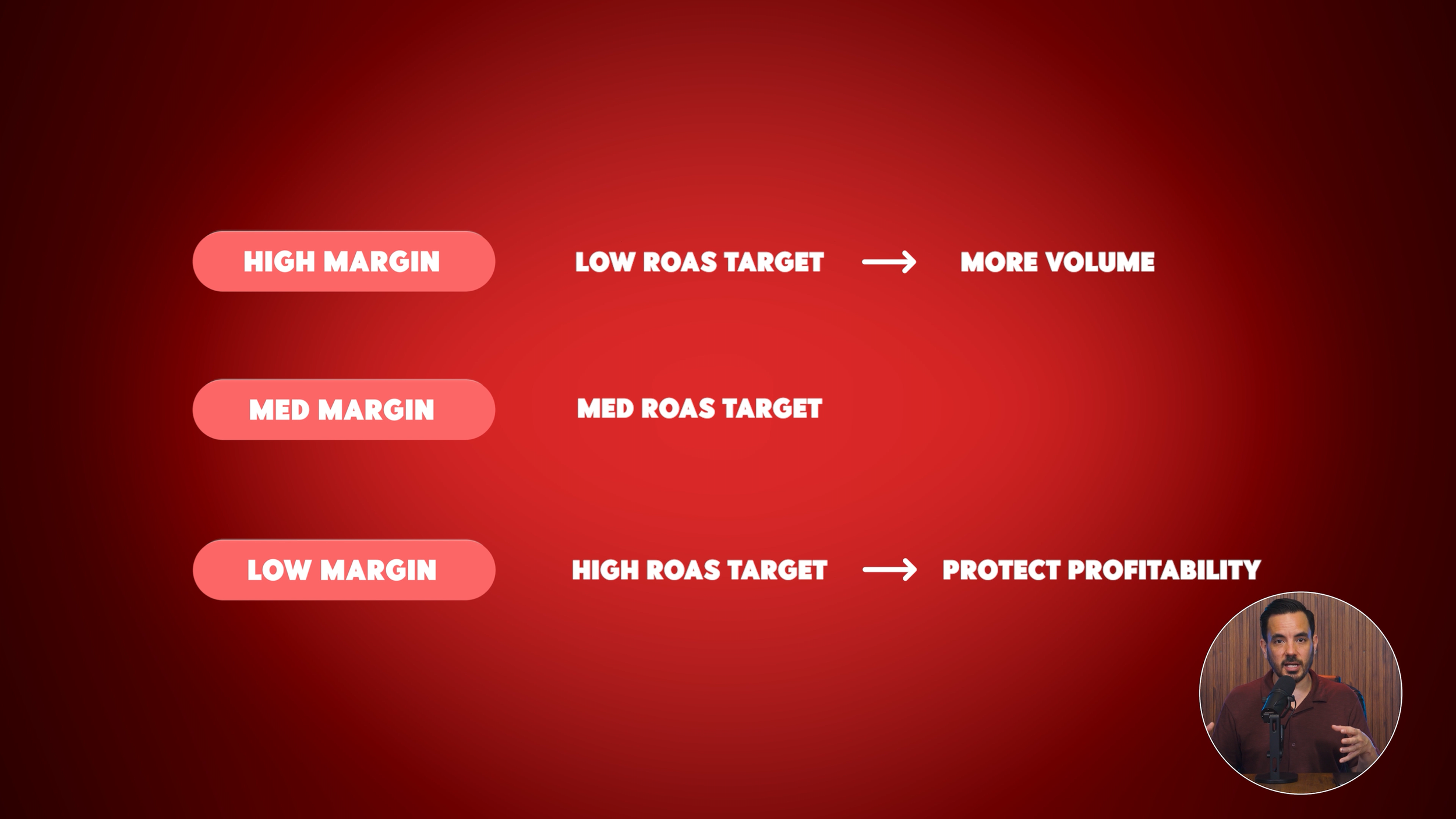
You segment your products by margin tiers (usually 3-5 tiers) and set different ROAS targets for each:
High margin products: Lower ROAS target, allowing you to bid more aggressively and capture more volume. Even at a lower ROAS, you're still profitable due to the high margins.
Medium margin products: Medium ROAS target.
Low margin products: Higher ROAS target to protect profitability despite tighter margins.
PMax cannot do this. It doesn't know your margins and treats every product the same regardless of how much profit you make on each sale.
Additional Shopping Optimisations
Beyond structure, focus on keyword-rich product titles that include your most important search terms, high-quality product images that stand out in the Shopping carousel, and budget allocation that gives Shopping the lion's share, because for ecommerce in Google Ads, Shopping is your bread and butter.
Component 2: Search Campaigns
The strategic advantage here is visibility and control that PMax simply doesn't provide. With PMax's Search ads, you can't see quality scores, can't split test ad copies, can't run campaign experiments, and can't set different targets for brand traffic.
Brand vs Non-Brand Segmentation
The first and most important thing to do is segment brand and non-brand into separate campaigns. This is critical.
PMax doesn't separate these by default and tends to over-rely on brand traffic. Brand traffic (people searching your company name) already know you, and some other marketing channel was likely the first touch point. When PMax captures this brand traffic, your ROAS looks amazing, but it's deceptive because these sales are less incremental.
By separating brand and non-brand, you can see the true performance of each (they're very different numbers), set different ROAS targets for each (brand should be much higher since it's easier to convert and less incremental), control budget allocation between the two, and develop a strategy specifically for growing your non-branded keyword presence. This is where real business growth comes from.
Search Campaign Optimisations
Monitor and improve your quality score. Not visible in PMax, but in regular Search campaigns you can see quality score for each keyword. It directly impacts your cost per click and ad position.
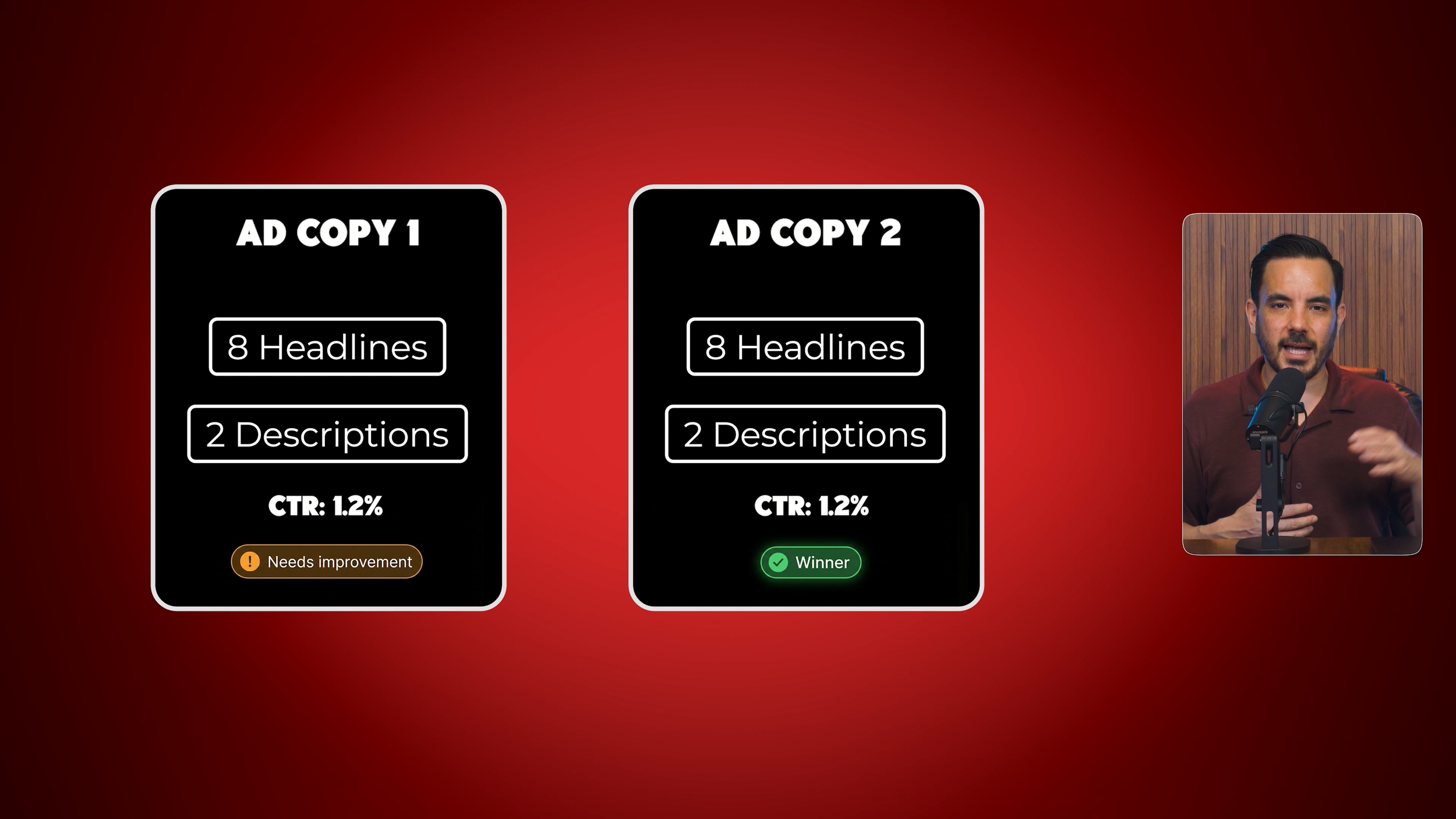
Optimise ad copy strategically. I recommend using 8 headlines and 2 descriptions instead of the maximum 15 and 4. This reduces possible ad combinations, meaning each one is more likely to receive enough impressions to actually test with. Then create multiple ads per ad group for rotation so you can learn which copy drives better CTR and conversions.
Structure keywords into STAGs (Single Themed Ad Groups). Research keywords using Keyword Planner and scour your PMax search terms report for the best performers. Pull those queries out and structure them into single themed ad groups. Each ad group focuses on one theme with customised ad copy, improving relevance, quality score, and reducing costs. PMax does not let you control ad group structure like this.
Component 3: Demand Gen Campaigns
In PMax, only 5-10% of your budget typically goes to images and videos, almost entirely focused on retargeting. With Demand Gen, we can replicate that retargeting approach but outperform PMax thanks to better control and reporting.
Take your best-performing videos and images from PMax and put them into a Demand Gen retargeting campaign. Keep images and videos together in the same campaign for consolidated data, allowing the algorithm to seamlessly switch between showing users image or video-based retargeting ads.
Better Data, Better Decisions
With Demand Gen, you receive much better data. To unlock audience-level data, set up segmented retargeting audiences:
Product page viewers
Add to cart users who didn't complete purchase
Abandoned cart users who started checkout but didn't finish
Category page viewers
All site visitors
Past purchasers for repeat purchases and upsells
Once these are set up, you can see ROAS, spend, and clicks by audience, revealing which audiences are actually working. PMax doesn't provide this audience-level reporting.
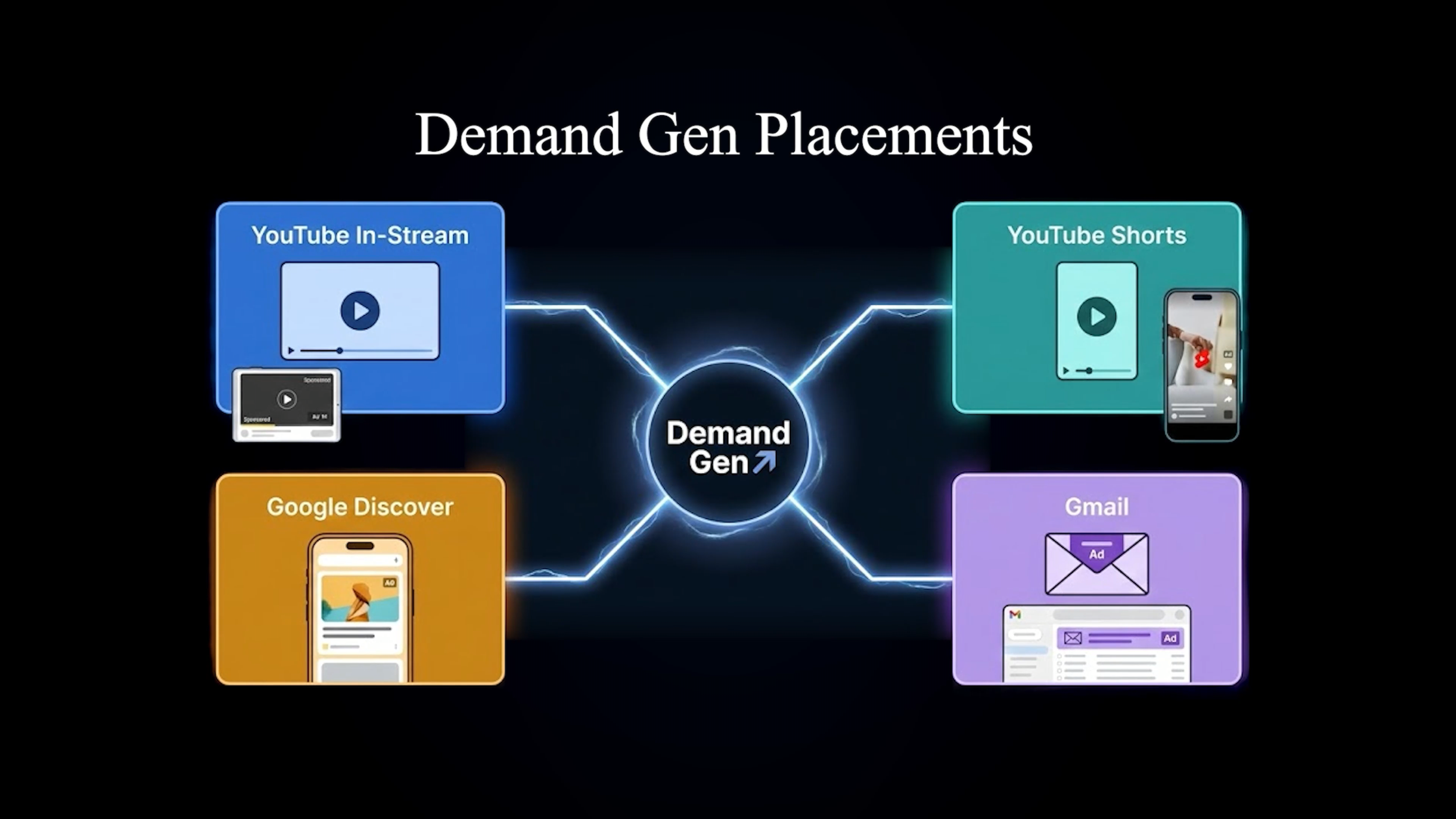
But it is even better than that. You can also see performance by placement at the individual ad or ad group level. Is YouTube In-Stream working? What about YouTube Shorts, Google Discover, or Gmail? PMax hides this from you. Demand Gen reveals it; simply click "segment by network."
Creative Optimisation
With all this data, you can actually optimise your creative properly. If YouTube Shorts is crushing it but Display Network is underperforming, you can create more portrait videos for Shorts and potentially turn off Display Network entirely. Test different creative variations, double down on what's performing, and cut what isn't. This level of creative testing is impossible within PMax.
The Final Piece: Keep PMax as a Catch-All
Don't eliminate PMax entirely. It still has a role, just not as your primary traffic driver. Raise PMax's ROAS target significantly higher than your manual campaigns. If your Shopping, Search, and Demand Gen campaigns are running at 300-400% average ROAS, set PMax to 600% or even 700%.
Lower ROAS targets in your manual campaigns mean higher CPC bids, meaning Google prioritises those campaigns for most of the traffic. Your Shopping, Search, and Demand Gen campaigns win the auctions. But PMax catches anything they miss, whether that's a search query your Search campaigns don't cover or a placement your Demand Gen campaigns aren't targeting.
You receive the best of both worlds: the control and performance of manual campaigns, plus the comprehensive coverage of PMax as a safety net.
Conclusion
Performance Max is a solid starting point for ecommerce advertisers, but it's a jack of all trades that does everything OK without excelling at anything. By building three dedicated campaign types, Standard Shopping, Search, and Demand Gen, you can outperform what PMax does automatically. For Shopping, choose between a ROAS performance-based structure (four tiers segmented by performance data) or a gross profit margin structure (segmented by margin tiers with different ROAS targets). For Search, the key is separating brand and non-brand traffic into separate campaigns, structuring keywords into Single Themed Ad Groups (STAGs), and monitoring quality scores that PMax hides from you. For Demand Gen, you unlock audience-level and placement-level data that PMax doesn't provide, allowing you to optimise creative based on actual performance by channel. Finally, keep PMax in your account but raise its ROAS target well above your manual campaigns so it serves as a deprioritised safety net that catches any traffic your dedicated campaigns miss.