
Let me show you something that has doubled (and in some cases tripled) return on ad spend (ROAS) for ecommerce brands running Performance Max and Search campaigns together.
It’s a simple workflow using AI, and it will show you all the search terms that convert inside Performance Max, but that you’re not yet targeting in your Search campaigns.
If you’ve ever wondered how to squeeze more profit out of Google Ads without increasing spend, this is it.
Why This Works
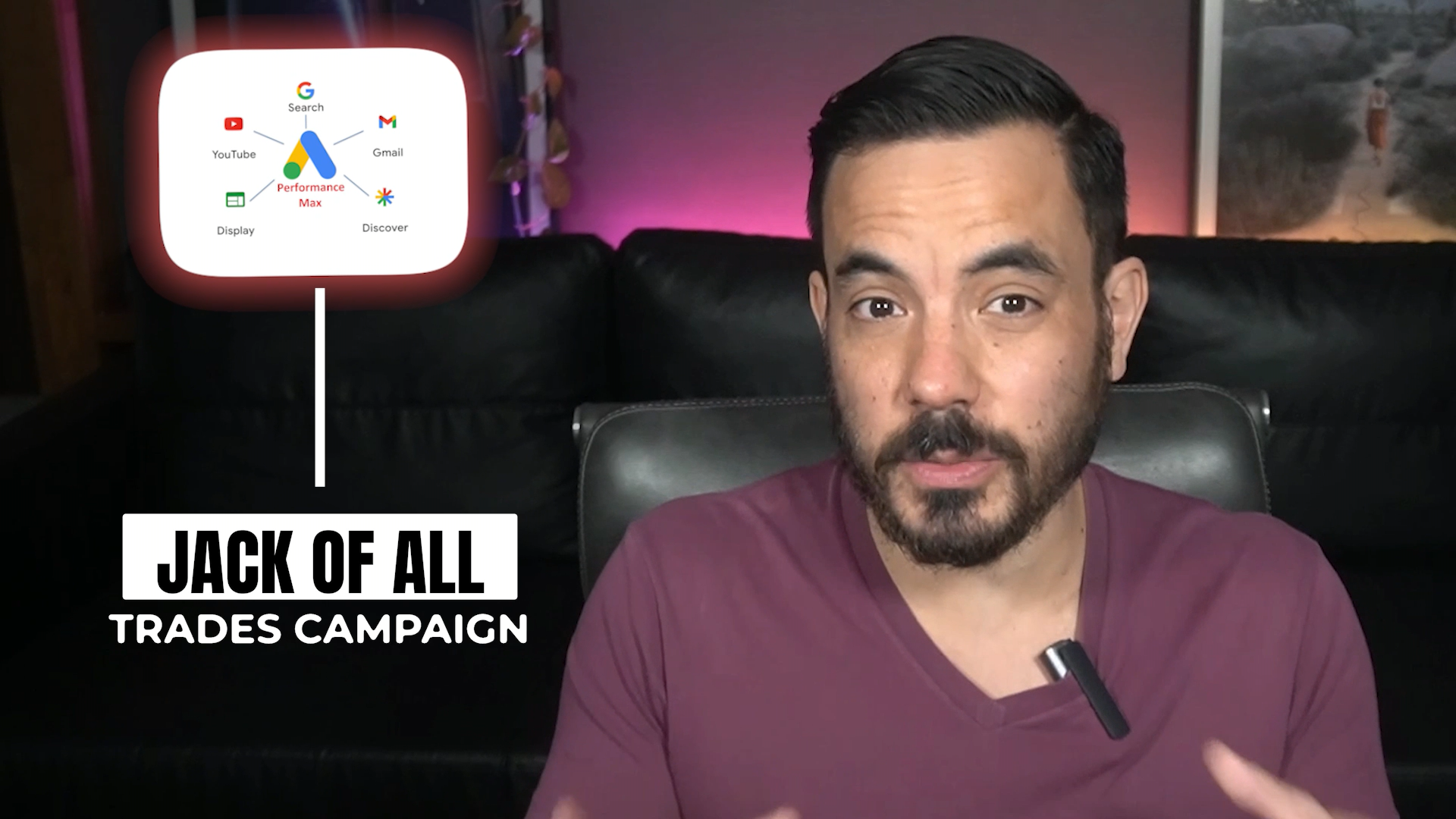
Performance Max (PMax) is a jack of all trades. It’s great at running ads across multiple placements — Shopping, Display, YouTube, and yes, Search — but it’s not a master of any of them.
What it is good at, though, is discovery.
It will often uncover profitable search terms that you never knew existed.
But here’s the catch: PMax doesn’t always handle those search terms optimally. It mixes them with all the other networks, gives them generic ad copy, and you never quite get the full potential ROAS that a well-structured Search campaign can deliver.
That’s where this AI prompt comes in.
It identifies every converting search term in your PMax campaigns that isn’t currently being targeted in Search, so you can move them into their own, tightly optimised Search campaigns where they’ll perform far better.
Real-World Example
One of our ecommerce clients was running both PMax and Search.
When we checked their data, PMax was generating about 2.5x ROAS from its Search segment.
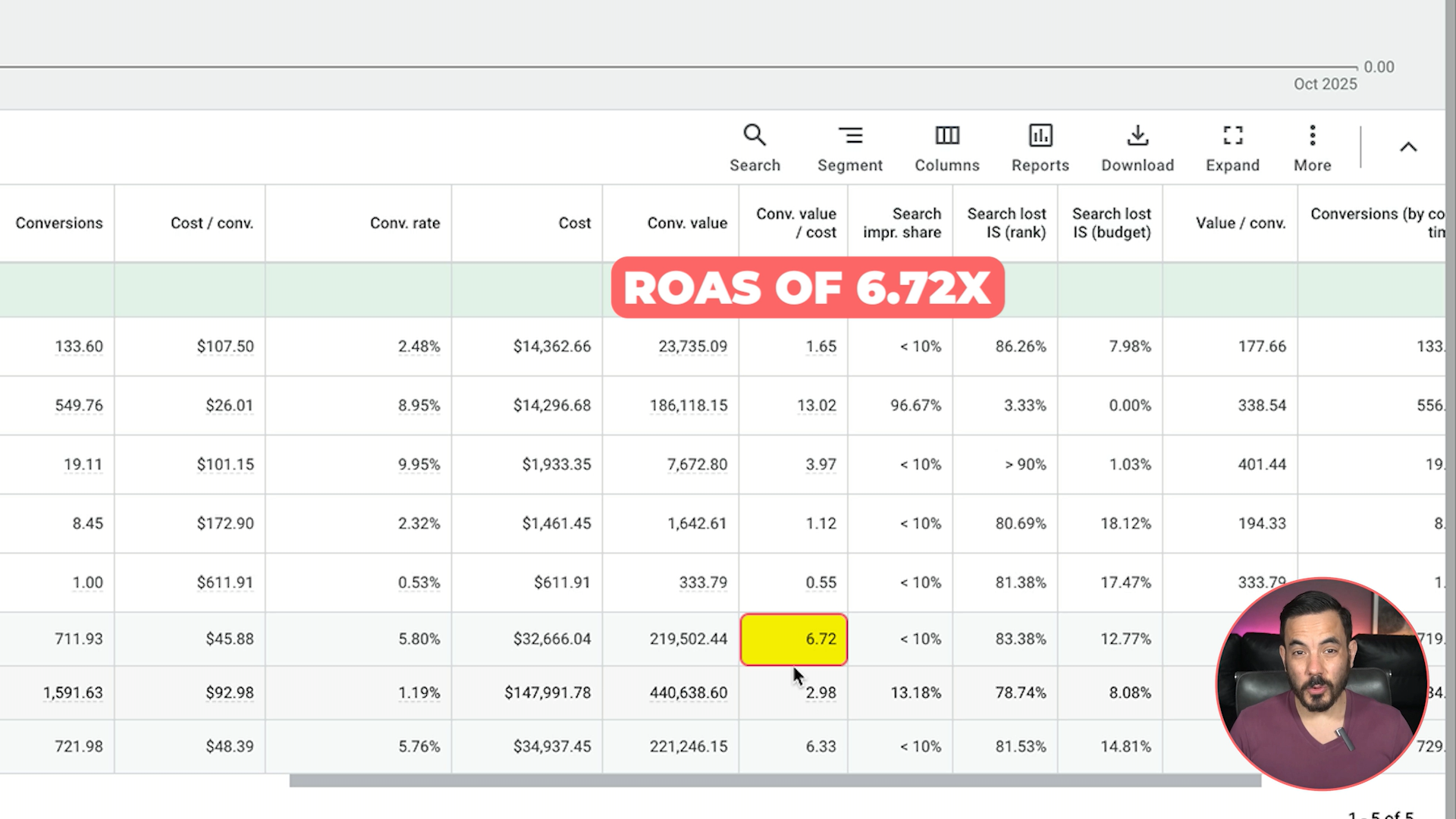
But once we extracted those converting search terms and moved them into a dedicated Search campaign, ROAS for those same keywords shot up to 6.72x.
That’s more than a 3x improvement, just by putting the right keywords in the right campaign type.
Step 1: Get Your Search Terms Report
In your Google Ads account:
Go into your Performance Max campaign.
Click Insights & Reports → Search Terms.
Set a generous date range — at least the past 120 days.
Make sure these columns are included:
Clicks
Impressions
Conversions
Cost
Conversion Rate
Conversion Value
If you don’t see them, click Modify Columns and add them manually.
Next, filter your report to include only search terms that have actually converted.
Set your filter to “Conversions > 0.1” (Google can record fractional conversions due to attribution).
Now you’ll have a clean list of all search terms that produced at least one conversion.
Once you have that, download the report.
I recommend downloading to Google Sheets first, deleting the first two header rows, and then exporting it as a CSV file named:
search_terms_report.csvThis small cleanup step helps the AI parse the file correctly.
Step 2: Get Your Keyword List from Search Campaigns
Now, you need a list of all the keywords you’re already targeting in your Search campaigns.
In Google Ads:
Click on All Campaigns.
Make sure both Campaign Status and Ad Group Status are set to “All”.
Go to Keywords → Search Keywords.
Download this as a Google Sheet or CSV. Again, delete the first two header rows so that the first row begins with “Ad Group,” “Currency Code,” “CPC,” “Conversions,” and so on.
Save the file as:
search_keywords_report.csvThe reason you’re doing this is because the AI prompt will deduplicate your keyword lists.
It’ll remove any search terms that already exist in your campaigns so that your keyword gap report only shows new opportunities.
Step 3: Run the AI Prompt
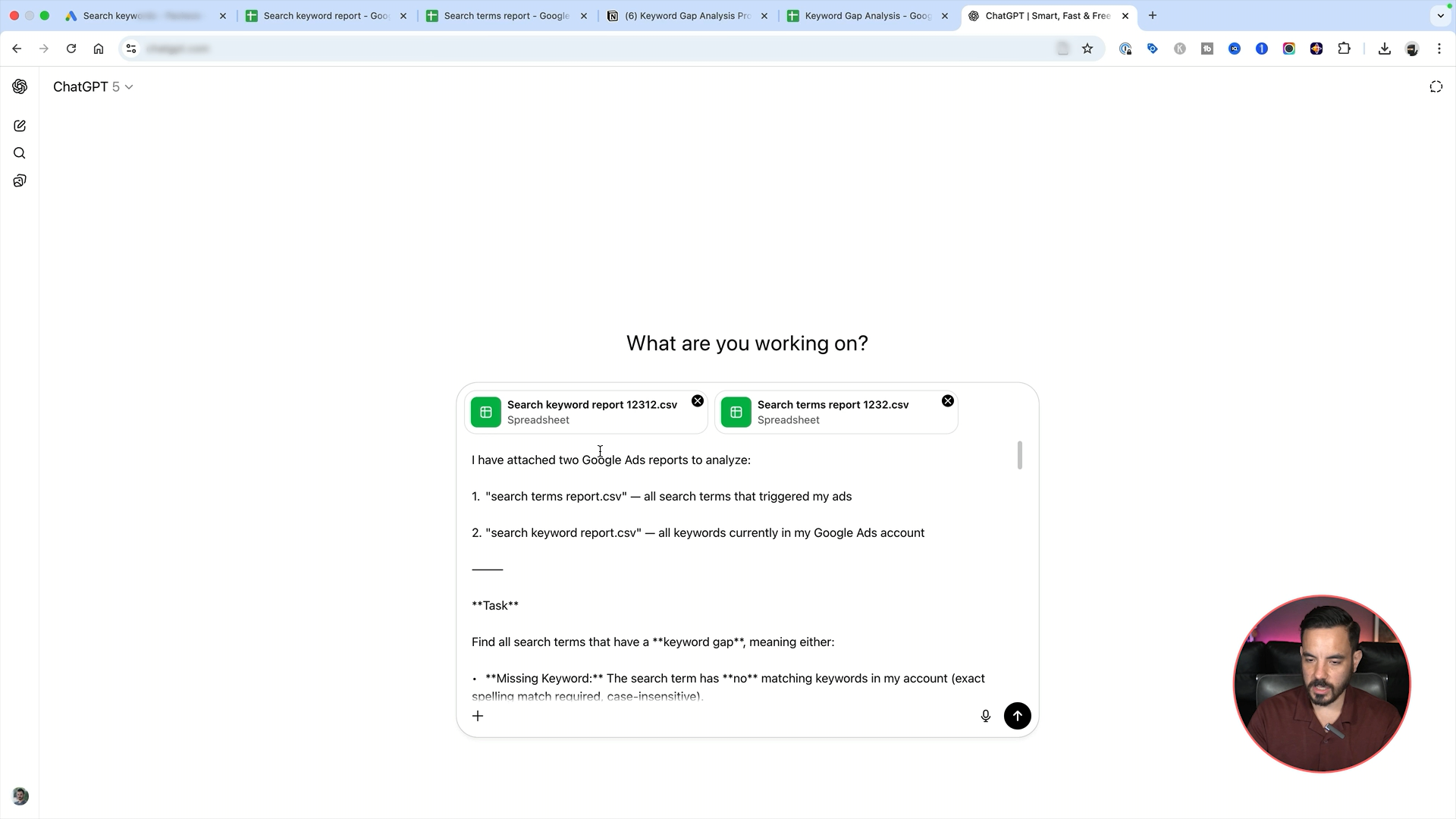
Once you’ve got both CSV files ready, open ChatGPT.
Attach both files:
search_terms_report.csvsearch_keywords_report.csv
Then, paste in the full AI prompt (which you can download here).
No need to tweak or edit anything — just paste and go.
After a short wait, the AI will output a Keyword Gap Report.
Step 4: Interpret the Report
Here’s what you’ll see in the output:
Missing Keywords: Search terms that are converting in Performance Max but completely missing from your Search campaigns.
Action: Add these keywords into your Search campaigns.Not Eligible Keywords: Keywords that exist in your account but are paused or inactive (e.g., in an old ad group or campaign).
Action: Unpause or move them into active campaigns.
This is your goldmine — all the proven, money-making keywords your Performance Max has discovered but your Search campaigns have ignored.
Step 5: Put It into Action
Now that you’ve got your keyword gap report, jump into your Search campaigns and make sure those converting terms are being targeted.
That’s how you’ll start getting that stronger ROAS you just can’t achieve with Performance Max alone.
But remember, this only works if you’re actively optimising your Search campaigns.
If you just set them up and forget them, you’re leaving money on the table.
If you’re not sure where to start, I’ve made another video that walks through my Weekly Search Optimisation Checklist. It’s the system I use to make sure every client’s campaigns stay healthy and profitable.
Watch that next and use it alongside this prompt to truly level up your Google Ads results.
A Quick Note
If you’ve been running Google Ads but feel like you’re not getting the results you should be, my team at Big Flare can help.
We’ve been managing millions in ad spend for ecommerce stores for over 12 years — and we’ve helped clients generate more than $150 million in online sales.
When you book a free audit, we’ll personally review your campaigns and show you exactly where your account can improve and where you’re leaving money on the table.
It’s completely free and no-strings-attached.
If you like what you see, we can even take over and scale your campaigns for you.
If that sounds good, click the link below and let’s make your Google Ads work harder for you.
Conclusion
To recap:
Download your Search Terms report from Performance Max.
Download your Keyword report from Search campaigns.
Clean up both CSVs and run them through the AI prompt.
Use the Keyword Gap Report to find profitable search terms that PMax discovered but you haven’t yet targeted.
Add those terms into new or existing Search campaigns and optimise regularly.
This workflow combines automation with human optimisation — letting Google discover what works, and you capitalising on it properly.
It’s the perfect example of how smart marketers use AI not to replace strategy, but to amplify it.