
Why Retargeting Deserves Your Attention
I’ve audited hundreds of ecommerce accounts and I keep seeing the same problems ruin what should be one of your most profitable campaigns in Google Ads.
Retargeting, done correctly, consistently drives some of the highest return on ad spend in an account.
Done badly, it quietly bleeds budget, misses easy revenue, and gives you the false impression that retargeting is not worth it. Below I am going straight into the six mistakes I see most often, and exactly how to fix each one.
Mistake 1: Not Running Dedicated Retargeting Campaigns
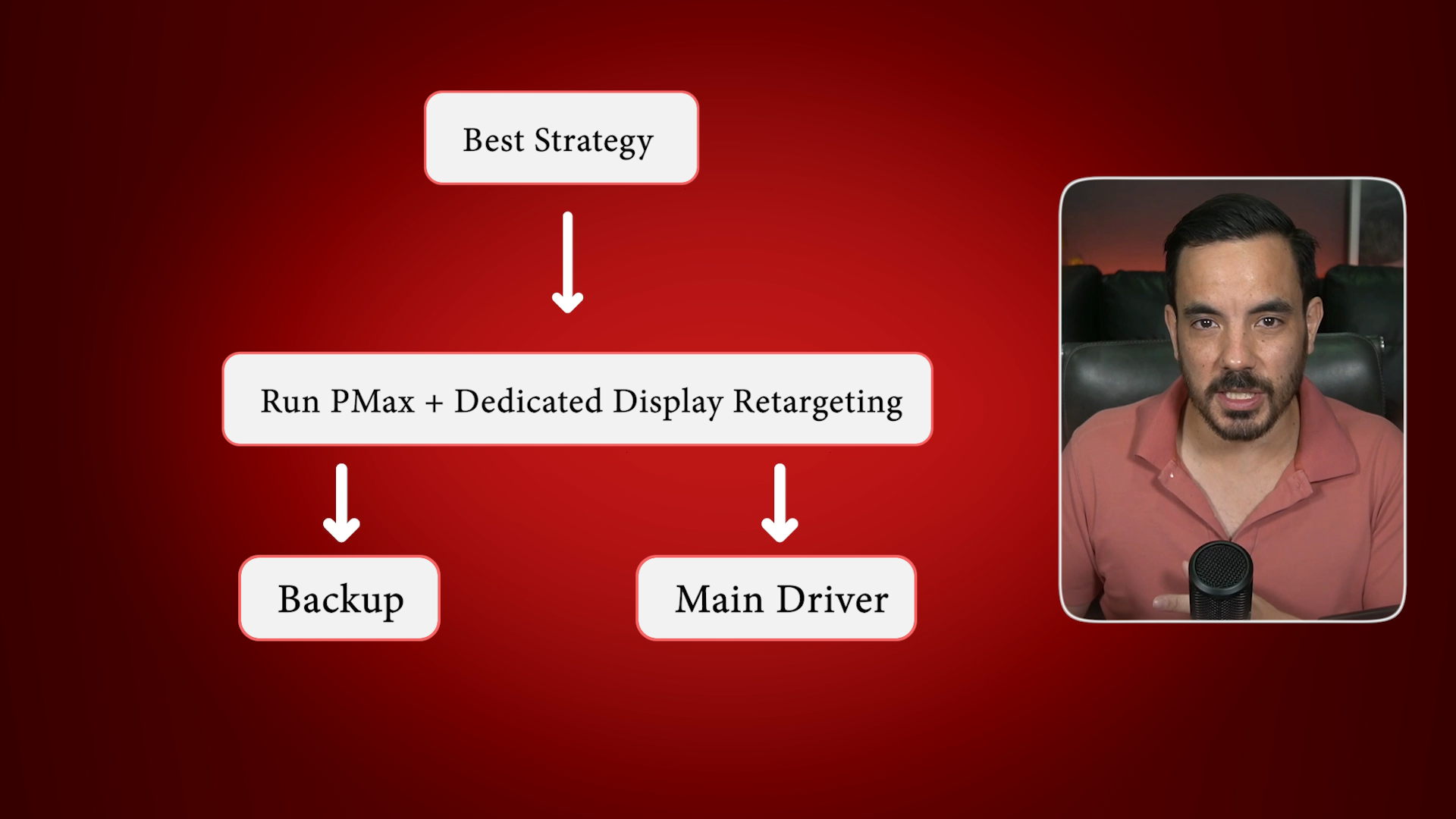
A lot of businesses assume Performance Max takes care of retargeting well enough. PMax does some retargeting, but it is a jack of all trades. It will never be as effective as a properly configured, dedicated Display retargeting campaign.
What works best in the real world is simple. Keep Performance Max running as a catch all, then layer a dedicated Display retargeting campaign on top as your main driver of remarketing performance. In side by side comparisons, I commonly see 100 to 200 percent higher ROAS from the dedicated retargeting campaign versus leaving PMax to handle everything.
How to set it up quickly
From the main campaign screen, click the plus button and choose New campaign.
Choose Sales as the objective. Confirm your conversion goal is Purchases. Remove Phone calls if it appears.
Select Display as the campaign type. Enter your homepage URL. You will set precise destination URLs in the ad stage, or dynamic ads will route users to the right product page automatically.
Name it clearly, for example Display Retargeting.
Set locations and languages correctly.
Under More settings, open Dynamic ads and attach your product feed. I will explain this fully in Mistake 2.
Set an initial daily budget that matches your remarketing audience size. As a rough rule, start small and scale as spend and results stabilise.
In Targeting, choose Audience segments, then Your data segments, then Website visitors. Select the precise audiences you build in Mistake 4.
Turn Optimised targeting off. If you leave it on, Google will expand to cold traffic, which defeats the point of retargeting.
Mistake 2: Forgetting To Attach Your Product Feed
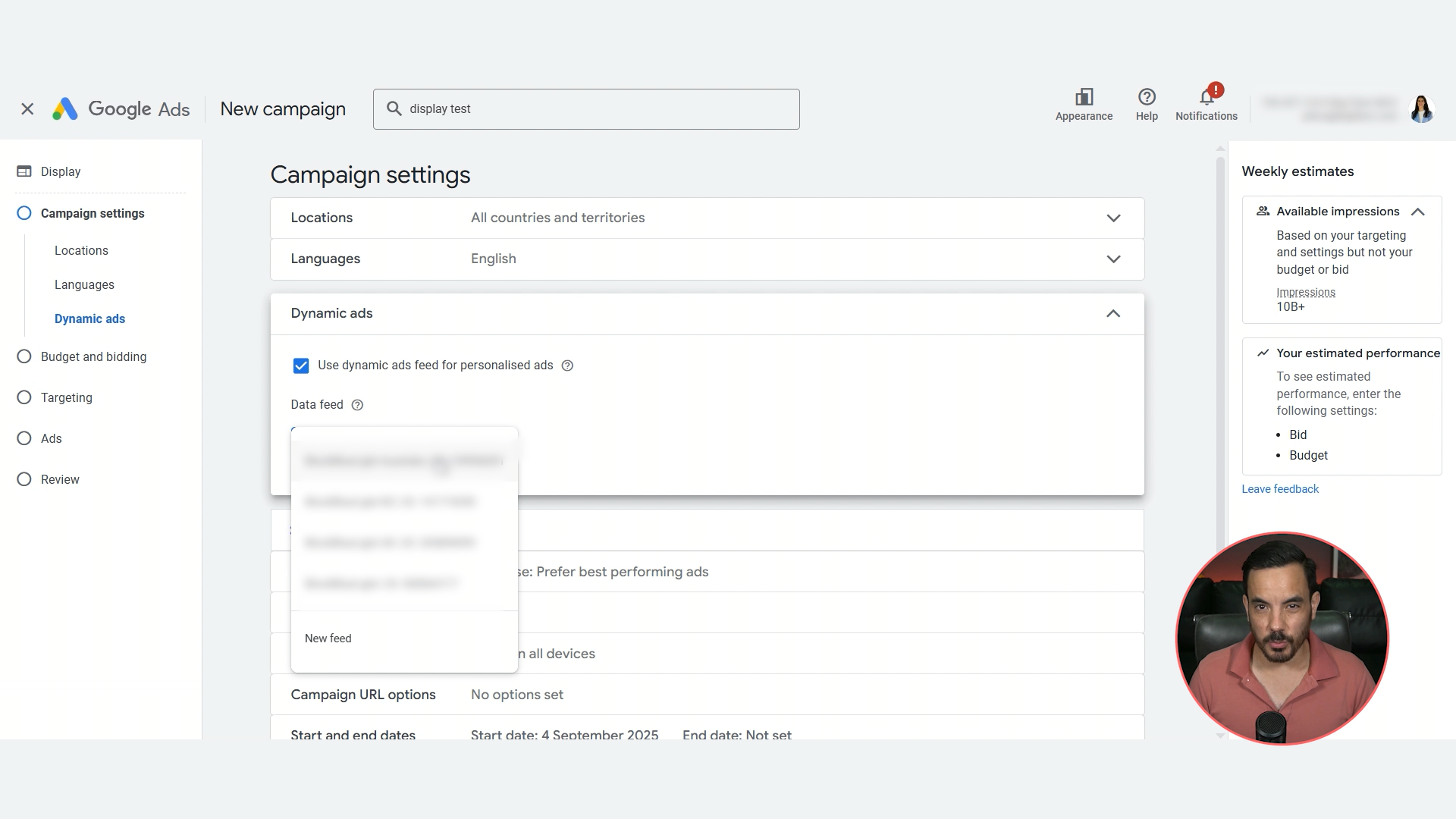
If you skip the Merchant Center feed, you are not running true dynamic retargeting. Dynamic ads show people the exact products they viewed or left in their basket. This is where the best results come from.
The quick pre check
In Google Ads, go to Tools, then Data manager. Confirm your Google Merchant Center account is linked and your feed is live.
If it is not linked, link it now. If the feed is not healthy, fix that first.
Enabling dynamic ads in your retargeting campaign
In the Display retargeting campaign settings, find Dynamic ads.
Tick Use dynamic ads feed for personalised ads.
Select your product feed. If you have multiple feeds, select the one you want this campaign to use.
That is it. You now have product aware retargeting that can show each shopper exactly what they were considering.
Mistake 3: Choosing The Wrong Bidding Strategy
This is where many campaigns go off the rails. Click focused strategies like Manual CPC or Maximise Clicks feel safe, but in retargeting they usually give you more clicks and less revenue. Avoid them.
What to pick on day one
Set Bidding to Focus on conversion value. Do not tick the Target ROAS box at the start.
This approach lets the algorithm learn, find converting users, and build momentum without choking volume.
When to move to Target ROAS
Once the retargeting campaign has 50 or more conversions, ideally within 30 days, you can switch to Target ROAS. Until then, stay on Maximise conversion value without a target. I have tested this repeatedly and it consistently outperforms starting on Target ROAS from a cold start.
Mistake 4: Poor Audience Segmentation
Not all visitors are equal. Someone who bounced from the homepage is very different to someone who added to cart. If you throw them all into one giant All visitors audience, you lose control over bids, budgets, and message match.
The core segments to build
Create these Website visitors audiences in Audience manager:
Homepage viewers
Category page viewers
Product page viewers
Cart abandoners
Previous purchasers
Catch all All visitors
How to create audience segments
Tools, Audience manager, plus button, Website visitors.
Name it clearly, for example Product Viewers 30 days.
Segment members: Visitors of webpages.
Past 30 days.
Rule: Page URL Contains /product.
Exclusions: Page URL Contains /cart and Page URL Contains /thank_you to exclude cart visitors and buyers.
Prefill with past 30 days if available.
Create segment.
Note on URL rules: the above examples work for a default Shopify setup. If your site structure differs, update the rules accordingly.
Exclusions that keep buckets clean
Homepage audience: exclude Category, Product, Cart, Buyers.
Category audience: exclude Product, Cart, Buyers.
Product audience: exclude Cart, Buyers.
Cart abandoners: exclude Buyers.
Catch all: exclude every other audience.
Membership durations that map to intent
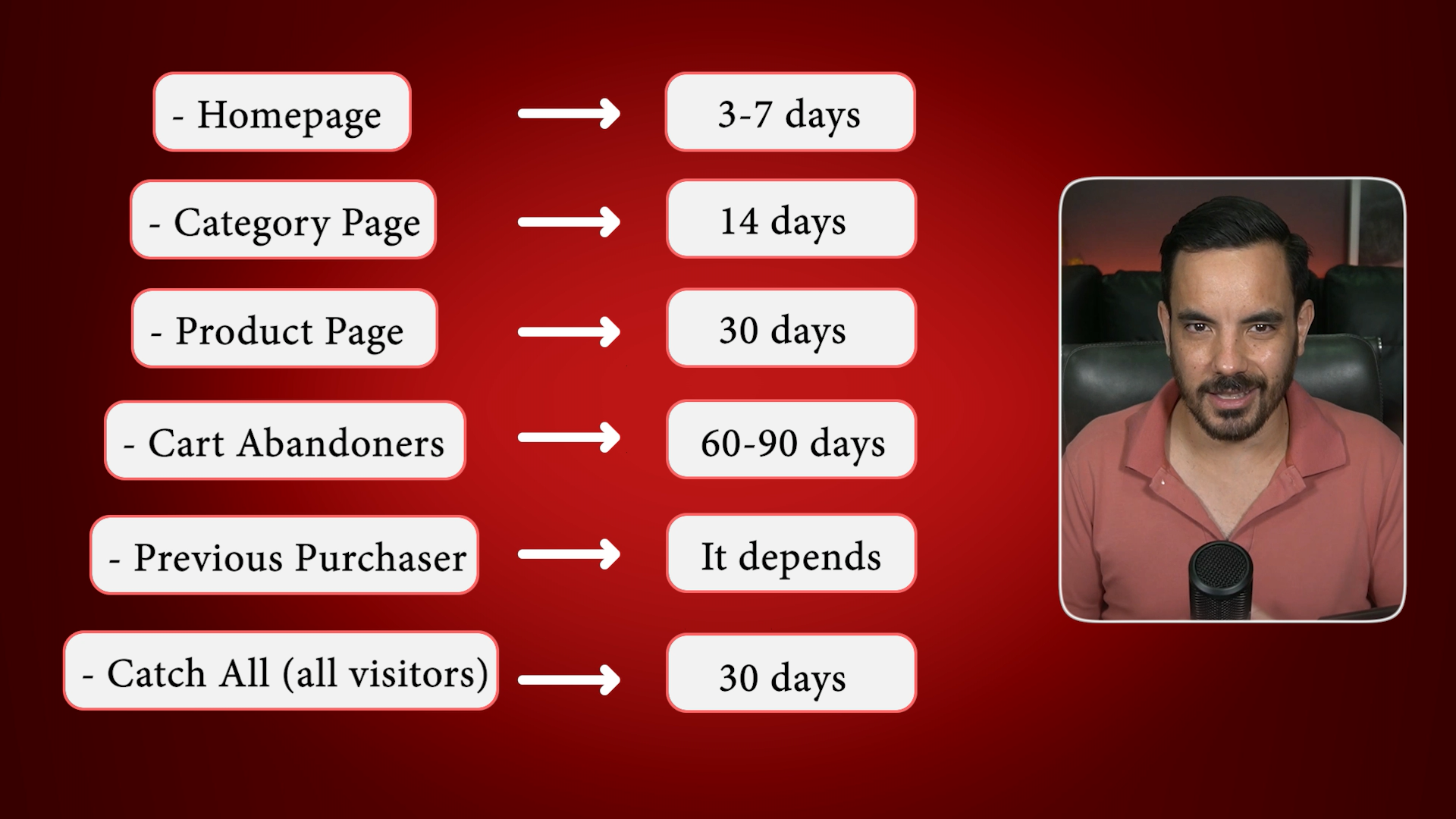
Homepage: 3 to 7 days.
Category: 14 days.
Product: 30 days.
Cart abandoners: 60 to 90 days.
Previous purchasers: depends on your buying cycle, for example 60 days for supplements, or do not retarget at all if you sell one time products.
Catch all: roughly 30 days.
This structure lets you bid more and for longer on hot segments, and trim spend on colder ones. Your ROAS and overall Google Ads performance will improve because budget follows intent.
Mistake 5: Generic Creatives
If every audience sees the same creative, performance drifts down. Message match matters.
Creative themes that align to intent
Cart abandoners and product viewers: dynamic product ads showing the exact items they viewed.
Category viewers: testimonials, reviews, comparisons, social proof.
Previous buyers: cross sells, upsells, loyalty offers, or replenishment reminders.
Now for an opinion I hold strongly after testing this across many accounts:
Do not hard map each creative type to a single audience with rigid ad group splits.
Give Google a full menu of creatives and let it choose the best dish for each user. It has more behavioural data than you do and it will generally serve the right format to the right person at the right time.
Mistake 6: Quitting Too Early
This one is about mindset. Retargeting audiences are smaller than prospecting, so conversion data comes in more slowly. If you judge performance off a week, you are mostly looking at noise. One or two conversions can swing ROAS wildly.
Give retargeting at least 30 days, ideally 60, before making judgement calls. Let the algorithm learn on Maximise conversion value. Iterate calmly on audience definitions and creatives. If the setup is correct, retargeting almost always becomes one of the highest efficiency parts of the account.
Bonus Tip: Exclude Recent Buyers During Sales Windows
When you run a big offer, exclude purchasers from the last 7 to 14 days from your sale retargeting. Nothing upsets a customer more than buying full price today and seeing 30 percent off tomorrow. Excluding recent buyers protects brand goodwill, reduces refund requests, and saves wasted spend.
A Quick Note If You Want Hands Off Growth
If you would rather have a specialist team set this up and scale it for you, my agency Big Flare has generated over 150 million dollars in tracked revenue from Google Ads for clients across the UK, USA, and Australia. We are a small senior team with fully customised service, meaning no copy-pasted campaign templates. Capacity is usually tight, but if you see a spot available, feel free to book a time to talk!
Conclusion
Retargeting should be one of your highest efficiency levers in Google Ads. The common failures are predictable and fixable. Run a dedicated Display retargeting campaign alongside Performance Max, and enable dynamic ads by attaching your Merchant Center feed. Start with Maximise conversion value without a Target ROAS, then switch to Target ROAS only after you hit roughly 50 conversions in 30 days. Segment audiences by intent, keep buckets clean with sensible exclusions, and set durations that match how hot the prospect is. Build creatives that match intent, but let Google choose which creative to serve per user. Finally, judge results over 30 to 60 days, and exclude very recent buyers during promotions to protect goodwill and avoid wasted spend. Follow these steps and you turn retargeting from a leaky bucket into a reliable profit engine.