
Your Google Shopping product title is the single biggest lever you have over which keywords you show up for. Nail it, and Google puts your product in front of the exact buyers searching for it. Fumble it, and you are basically invisible for the searches that actually matter.
The problem is that writing a genuinely optimised title is fiddly, technical work, and doing it properly across a lot of products takes forever. So I built a free AI tool that does the whole thing for you in about thirty seconds, from nothing but a product URL. And I am giving it away. You can access the tool directly here:
My Product Title Optimiser Gem
What I Built (and Why It Is Better Now)
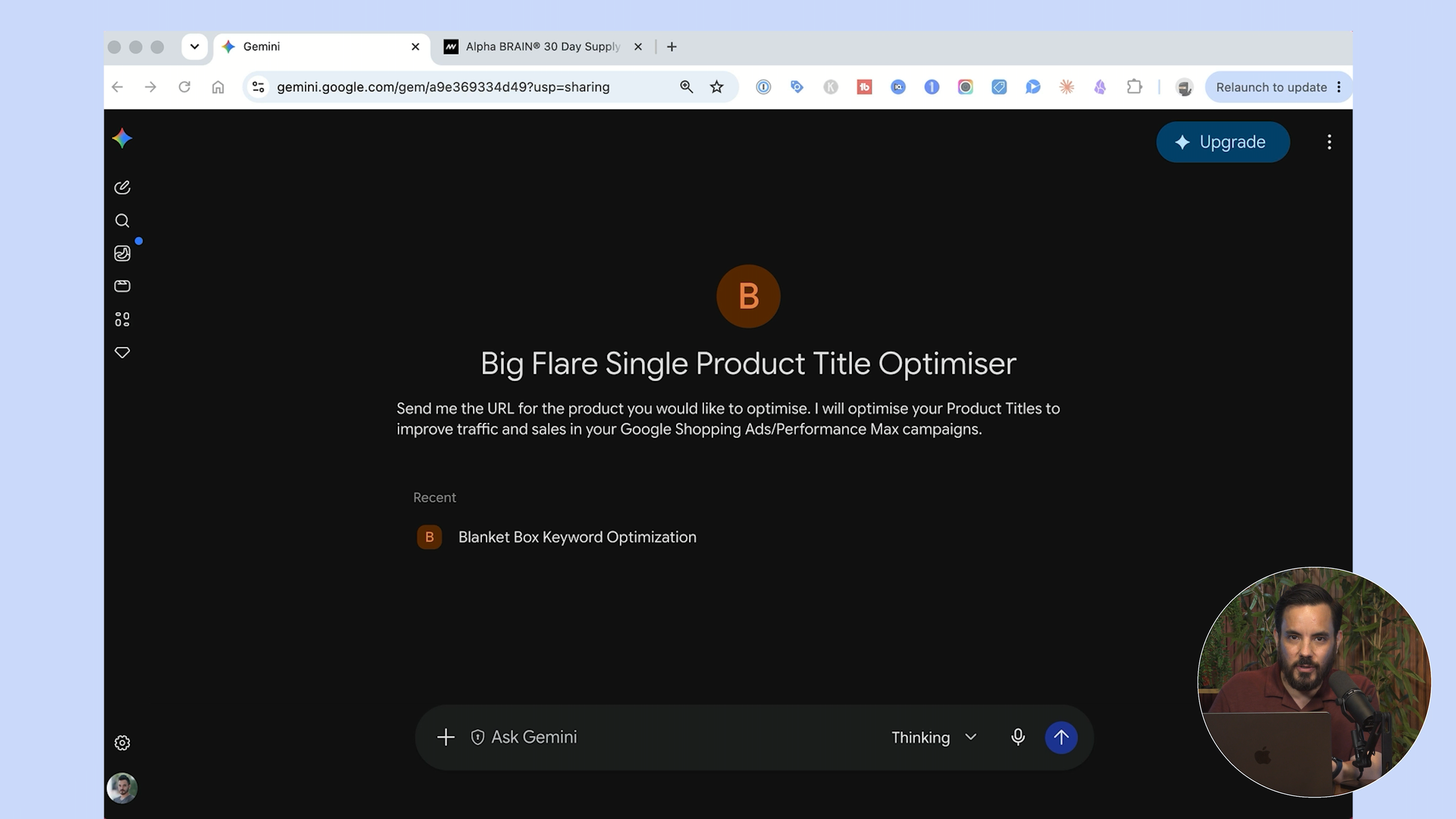
If you have followed my channel for a while, you may remember a CustomGPT I released that optimised product titles. What I am handing you today is the new and improved version of that.
I have moved the optimiser over to Google Gemini instead of GPT, because my testing showed better performance there. I have also rewritten and improved the AI's instructions and knowledge, so the output is noticeably better than the old Custom GPT. It runs as a Gemini "Gem", which is just a purpose-built assistant living inside a normal Gemini chat window.
The best part is the setup, because there basically is not one. You open the Gem from the link, and as long as you are signed in to Gemini, you are away. No paid account, no connectors, nothing to install.
Watching It Work
Here is the full run-through. You paste in a product URL. In the demo I used a magnesium sleep spray, but any product works.
The Gem reads the product page, works out the obvious seed keywords itself, then goes further and researches using Google Search. Its first reply is a short two-to-three line product summary, which proves it has actually understood what it is looking at, followed by a ranked top-ten keyword list. Each keyword is labelled as a product, category, or use case keyword, so you can see the logic.
Then it asks whether there are any keywords you want it to include. You can simply say no and let it run, or paste in a comma-separated list of keywords to force in. You can also chat with it interactively to make adjustments. For example, tell it "include the keyword smart pills" and it works that in for you.
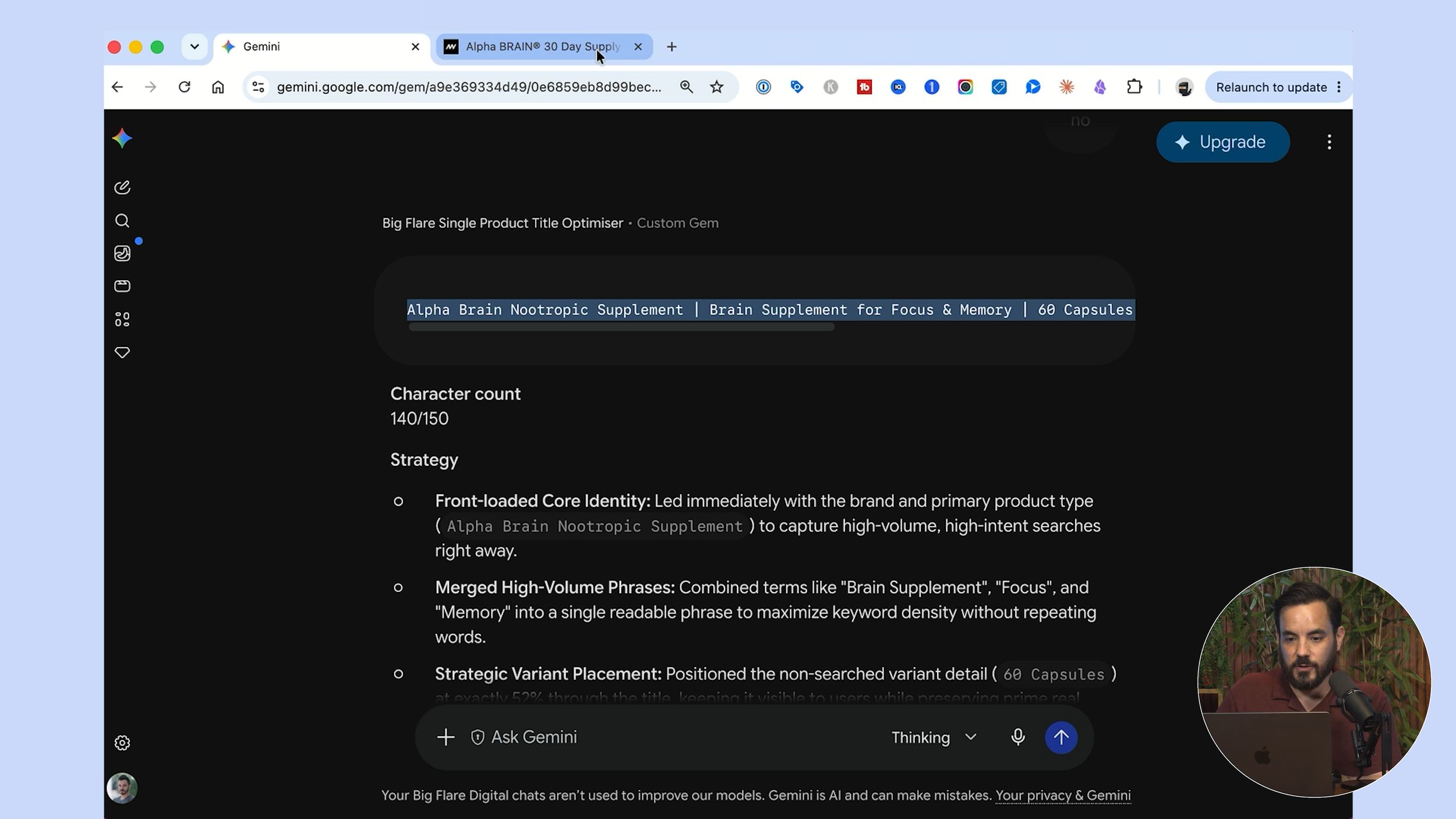
The final output is where it all comes together: the optimised title sitting in a copy-ready code block, the character count out of one hundred and fifty, a short explanation of the strategy, and the list of keywords it targeted. It even highlights which keywords are in exact word order versus distributed across the title.
The Methodology Behind the Titles
Once you see a finished title, the structure is deliberate. The title is built from pipe-separated sections, and each section reads like a real search query rather than a random keyword dump. The number-one bullseye keyword sits in exact word order right at the front, where it carries the most weight. Your store brand is tucked into the very last section, never at the front, because nobody is searching for your brand when they are hunting for a product.
The character count lands between 130-150. 150 is Merchant Center's hard cut-off, so the aim is to fill as close to it as possible without wasting a single character. Crucially, the tool deliberately avoids promotional-sounding language, the kind of wording that can have your product disapproved in Merchant Center.
If a product has variants, there is smart logic for that too. A variant people actually search for, like a colour, is pushed up towards the front. A variant nobody searches for, like a pack size, is dropped into the middle where it fills space without stealing prime real estate.
Here is a real example the tool produced in the demo:
"Alpha Brain Nootropic Supplement | Brain Supplement for Focus and Memory | 60 Capsules | Caffeine-Free Cognitive Support for Mental Clarity" at 140 characters out of 150.
It front-loaded the core identity, then merged in high-volume phrases like "brain supplement" and "focus and memory". Those are extra keywords now being targeted that the default store title would never have covered.
Once you are happy, you copy the finished title straight out of the code block, ready to paste into your feed. Then comes the loop: paste in a second product URL and let it optimise the next one, back to back, so you can rattle through a whole product list inside a single chat. One quick tip from my own use, put the Gem on "thinking mode" for slightly better results, or switch to the flash model when you want to run faster.
You Do Not Need to Touch Your Website
This is the bit people always ask about, so let me be clear. You do NOT have to change the title on your website to use this for Shopping ads. The best title for your website is not the same as the best title for your Shopping feed, and that is completely fine.
You have two clean options. Any good third-party feed management tool lets you customise the title without changing your site, or you can edit the title directly in Google Merchant Center. Either way, the better title flows into your Shopping ads only, leaving your on-site copy exactly as it is.
Two Tools, So Do Not Mix Them Up
I actually have two product title optimisers out there now, and I want to save you some confusion.
The one here, the Gemini Gem, is the simple, fast, easy option. No paid account, no connectors, no setup. You click the link and start optimising titles one at a time, quickly.
A couple of months back I released a different optimiser that runs inside Claude Cowork. That one is more work to set up. You need access to Claude Cowork, you install some connectors, and you install the plugin on your own account. In return it does far more. It batch optimises hundreds of titles across your entire catalogue in one go, plugs straight into your own Google Ads search term and Keyword Planner data, reviews your website, and searches the web, so the titles come out even better researched. It will even export a ready-to-upload Merchant Center feed.
The bottom line: to optimise a single title quickly with zero setup, use the Gemini Gem. If you are comfortable with a techie setup and want your whole catalogue optimised with deeper research, reach for the Claude one.
Do Not Stop at Titles
Your product title is only one of the two most important keyword fields in your entire feed. The other is your product type. Optimising your product type tells Google just as much about which keywords you want to show up for, and both fields feed straight into your Standard Shopping campaigns AND your Performance Max campaigns. It would be a real shame to optimise one and ignore the other.
Conclusion
Your Google Shopping product title is the single biggest lever over which searches you appear for, and my free Gemini Gem writes a fully optimised one from just a product URL in about thirty seconds, with no paid account, connectors, or setup. It reads the product page, researches keywords with Google Search, ranks the top ten by type, and builds a pipe-separated title filled with high quality keywords that will get you more traffic and sales from Google Shopping. Get access to the tool here: