
Google has just bolted AI Max onto your Shopping campaigns, and everyone online is fixated on the two features Google is loudly promoting. The problem is that both are almost sideshows. The feature that actually matters is the one Google is barely mentioning, and it might change how you structure your whole account. I run real ecommerce accounts every day through my agency, Big Flare, so let me give you the straight story rather than the noise.
First, You Might Not Even Have It Yet
AI Max for Shopping is currently in a closed beta, announced on 30 April 2026, so it has only landed for some accounts so far. I have checked my own client campaigns and do not see it active yet, so you might have it or you might not. There is no public opt-in form. If you want it early you would typically need a Google rep, but either way it will roll out to everyone eventually.
To be clear, this is my read of Google's own documentation and research, not a data-backed verdict. My team will run this beta extensively across accounts, and I will follow up with the tested strategy and real numbers. Treat everything here as a strong hypothesis.
What AI Max for Shopping Actually Does
At its core, it bolts a set of AI-powered features onto your Standard Shopping campaigns. Google is heavily touting two of them.
Feature One: Text Customisation
This lets Google rewrite or add to your product ad title depending on what the person actually searched for. It pulls information from your Merchant Center feed and tweaks the title to make it more relevant to that specific query. It is also built to perform in the newer search experiences like AI Overviews and AI Mode.
Feature Two: Final URL Expansion
This lets Google override the landing page you set and send the click to whatever page on your site it thinks will convert best instead.
The Feature Google Isn't Talking About
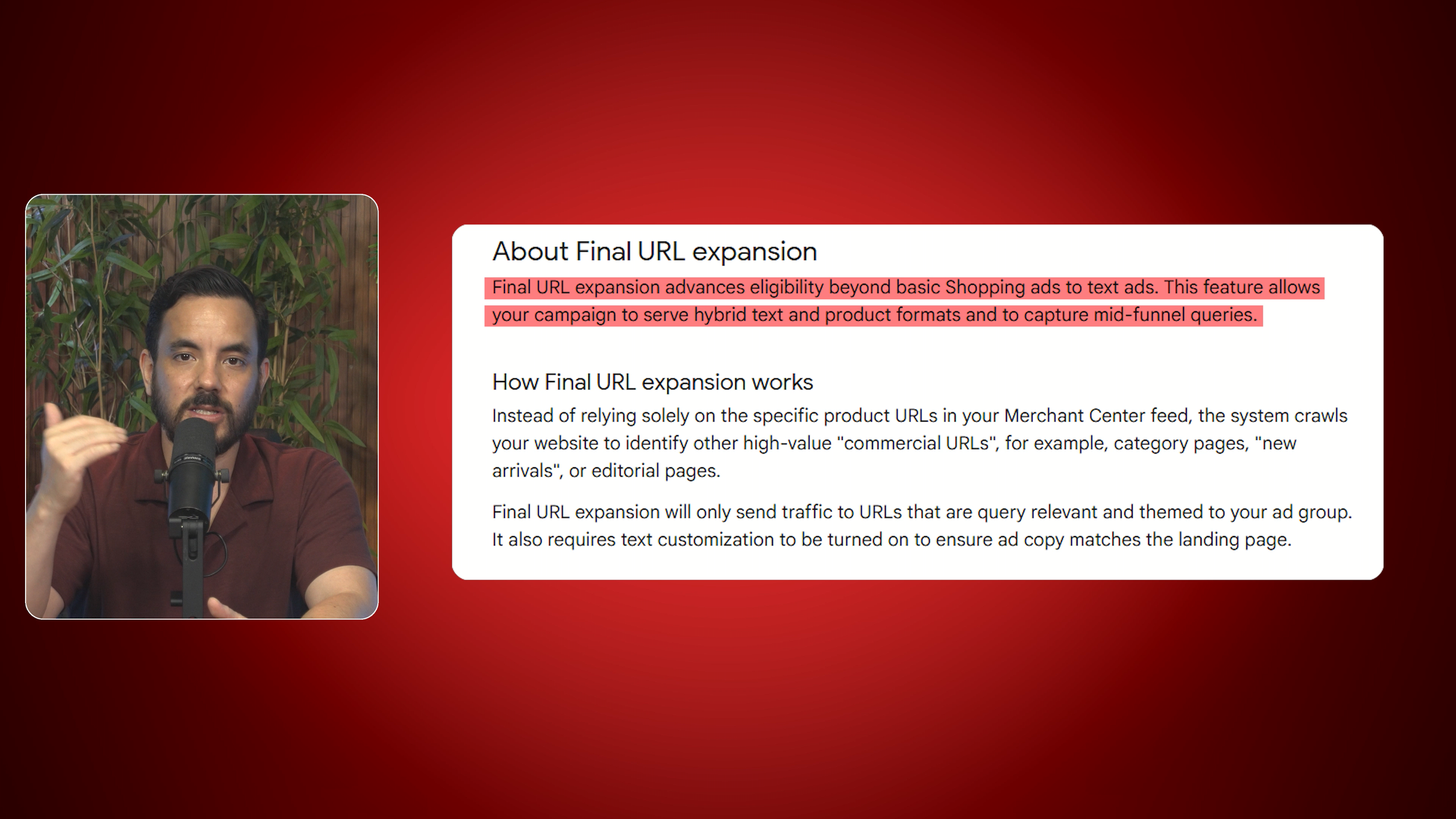
Here is the one that matters. When you turn AI Max for Shopping on, your Shopping campaign can now decide to show search text ads instead of only Shopping ads, served straight out of your Shopping campaign and built off your landing pages and product feed.
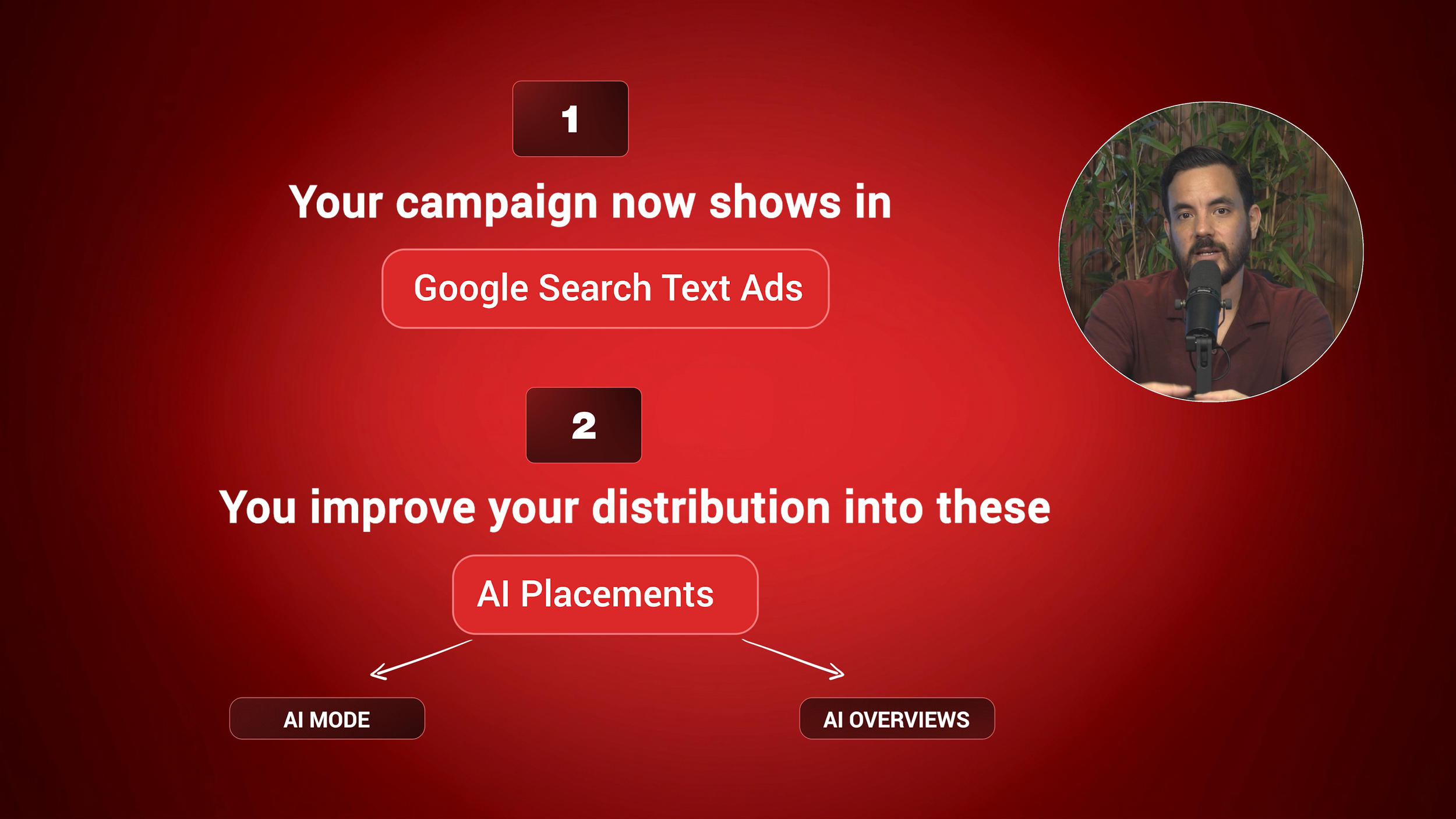
Those two headline features are what unlock it. In Google's own words, Final URL expansion advances your eligibility beyond basic Shopping ads so the campaign can serve hybrid text and product formats, and Google is clear that Final URL expansion needs Text Customisation switched on alongside it. So the real reason those two features matter has nothing to do with your Shopping ads; together they unlock search ads out of your Shopping campaign. On top of that, you also improve your distribution into AI placements like AI Overviews and AI Mode.
Why the Two Headline Features Are Minor for Your Shopping Ads
Both features are fine and will help a little, but for your Shopping ads themselves the impact is small.
Text Customisation matches your product title to the search, but the title just does not have a huge effect on whether someone clicks. What drives the click in Shopping is the image, the price, and the annotations like strikethrough pricing, a sale badge, and free shipping. That is where people's eyes go. The title's real job is not the click at all; it is targeting, which searches you show up for in the first place. So tweaking it to match the query makes a relatively small difference.
Final URL expansion barely moves the needle for Shopping either. The default landing page is already the best one, the exact product page for the exact product the person searched for, and it is very hard for Google to find a better page than that. Google's own documentation touts up to a 5% improvement in conversions here, and honestly, 5% is not a huge deal, especially since Google usually overvalues these numbers. So both heavily-promoted features add up to minimal impact on the Shopping ads themselves, which is exactly why I want to redirect your attention.
The Real Story: Search Text Ads on Standard Shopping
The best way to understand this is to compare it to Performance Max. Run PMax for ecommerce and Google places your ads across a whole spread of placements: YouTube, display, search text ads, Shopping ads, Gmail, and maps. What we almost always find is that the best-performing placement is Shopping ads, and the second-best is search text ads. Both normally perform really well at a good ROAS. After that, it is often a coin toss whether display, YouTube, Gmail, maps and the rest perform at all. So the two placements you actually want are Shopping and search text ads. This is exactly why we sometimes run a PMax feed-only campaign, which strips out all your assets to focus on Shopping ads only.
My long-standing bugbear with Performance Max is that it forces an all-or-nothing choice on your assets. Either you go full assets across all placements, or no assets for Shopping only. Google will not let you run search assets alone, so you cannot say, “I just want Shopping plus search”, which are the two best things. My workaround for years has been to run feed-only PMax for the Shopping side, then build out my search campaigns really well so I still capture that valuable search traffic separately.
Here is what is genuinely interesting about AI Max for Shopping: in theory, it gives you the best stuff only. Your Standard Shopping campaign still focuses purely on Shopping, so it does not suddenly start showing on Gmail, maps, display, or YouTube. But with this one button ticked, you can now pull search text ads into it as well. That is the two best-performing ecommerce placements, in one campaign, prioritised, without the all-or-nothing PMax asset trap.
Why You Actually Want Both Headline Features On
Remember those two headline features I called minor? I actually think you will want both on, not because of what they do for your Shopping ads, but because of what they do for the text ads.
Your Shopping ads do not really need Final URL expansion, but the text ads absolutely do: the system needs it to find the best page on your site to send that click to. And Text Customisation is what tailors the ad copy to match the query for those text ads. So the features Google frames as improving your Shopping ads do their real work powering the text-ad expansion. That is why you switch them on.
The Guardrails You Need to Set First
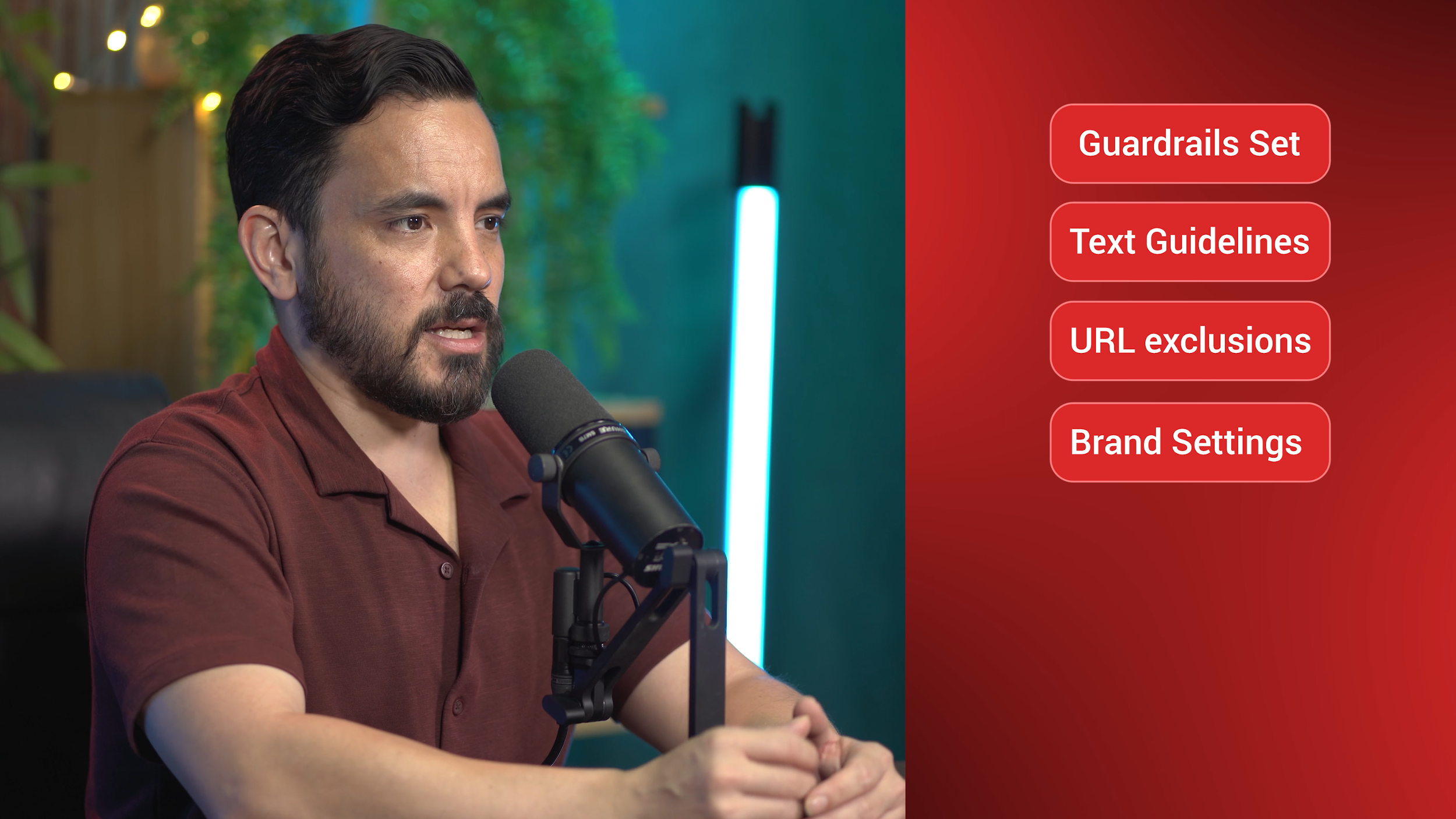
Once you have auto-generated text ads in the mix, you need guardrails before you launch.
Text guidelines are now, in my view, a required part of this strategy. They let you give the system natural-language direction on what you do and do not want in your copy, just like in AI Max for Search. Because the system is genuinely generating text ads here, that guidance really matters.
URL exclusions pair beautifully with Final URL expansion. They let you tell the system which pages to stay away from, such as your contact page, privacy policy, and possibly your blog, keeping it focused on your higher-intent, converting pages.
Brand settings are a lovely addition, letting you set brand inclusions and exclusions so segmenting brand versus non-brand in Shopping is far easier. We will probably still run our usual higher-priority non-brand campaign with the brand terms negated, but now we have an extra lever: on your non-brand campaign, exclude your brand; on your brand campaign, include only your brand.
The New Reporting Is Where the Work Happens
The reporting has genuinely improved, with more retail-centric data and a brand-new Asset report. Inside it, a tab called Expanded final URL assets shows how Text Customisation is performing: the text Google is creating for you and which landing pages it is sending traffic to. Crucially, you can remove assets, so anything off-brand or underperforming can be pruned.
This is not a fire-and-forget toggle. Set your guardrails, launch, then actively watch that reporting and prune what the system generates; the bigger your account and spend, the more that attention is worth. And remember, all of this leans on your feed and landing pages, so garbage in, garbage out now extends to your landing pages too. A clean feed and good landing pages are the foundation.
A New Fourth Option That Might Reshape Your Account
For years we had three choices: Standard Shopping, PMax full-assets, or PMax feed-only. Now there is a fourth: Standard Shopping with AI Max for Shopping bolted on.
I think this fourth choice might start taking priority over PMax feed-only. Feed-only PMax focuses on Shopping only, but what we have always actually wanted is Shopping plus search, and Standard Shopping with AI Max can now do exactly that. This might genuinely reduce the need for feed-only PMax.
Again, treat this as a strong hypothesis, not a verdict. I need real data first, and the tested follow-up is coming once we have run this across accounts.
If you already have beta access, follow the order above: text guidelines first, then Text Customisation and Final URL expansion, then brand settings and URL exclusions, then monitor that Asset report and prune anything that does not fit. If you do not have it yet, which is most of us, simply be ready: sort out your feed and landing pages, and start drafting your text guidelines now.
Conclusion
AI Max for Shopping bolts AI-powered features onto Standard Shopping. Google is promoting two of them, Text Customisation and Final URL expansion, but both have only a minor effect on your Shopping ads. The feature that really matters is the one Google is barely mentioning: with AI Max on, your Standard Shopping campaign can now serve search text ads, giving you the two best-performing ecommerce placements, Shopping plus search, in one campaign without Performance Max's all-or-nothing asset trap. You will still want both headline features on, because they power those text ads. Set your guardrails first, text guidelines, URL exclusions and brand settings, then launch and actively prune using the new Asset report. This creates a genuine fourth account structure option that may reduce the need for feed-only PMax, though that is a strong hypothesis pending real data.